marker_6dof
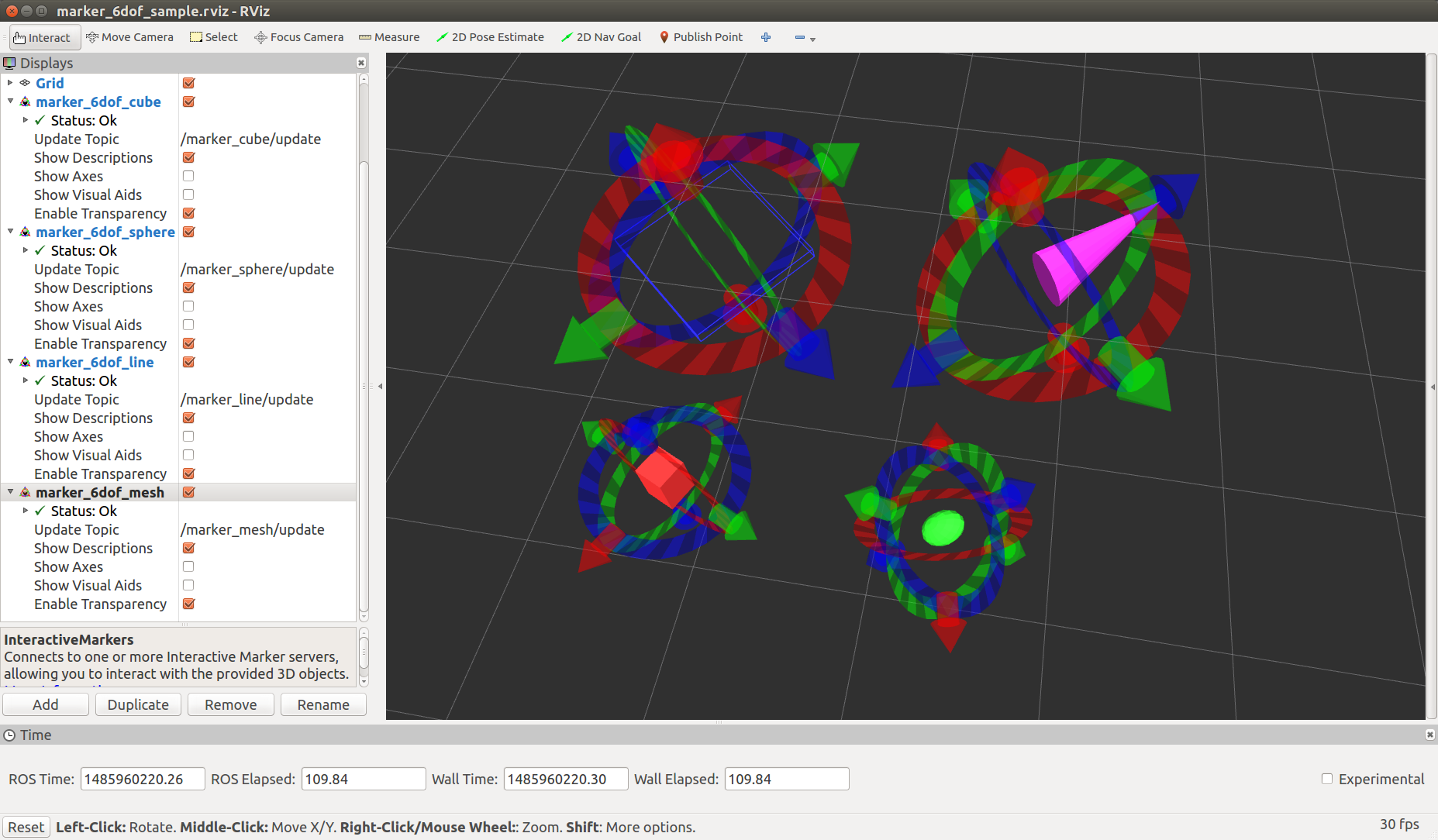
marker_6dof provides interactive marker to control a marker of primitive shape or mesh shape.
Parameters
~object_type(String, default:sphere)Type of object shape. cube, sphere, line, and mesh are available.
~frame_id(String, default:/map)Frame id of marker.
~publish_tf(Bool, default:False)Tf of marker pose is published if true.
~tf_frame(String, default:object)frame id of published tf. This value is used only when
~publish_tfis true.~tf_duration(Double, default:0.1)Time interval of published tf. This value is used only when
~publish_tfis true.~publish_pose_periodically(Bool, default:False)Pose of marker is published periodically if true. Pose topic is published only when marker is moved via Rviz if false.
~object_x(Double, default:1.0)~object_y(Double, default:1.0)~object_z(Double, default:1.0)X, Y, Z scale of object.
~object_r(Double, default:1.0)~object_g(Double, default:1.0)~object_b(Double, default:1.0)~object_a(Double, default:1.0)Red, Green, Blue and Alpha value of object.
~initial_x(Double, default:0.0)~initial_y(Double, default:0.0)~initial_z(Double, default:0.0)Initial X, Y, Z position of marker.
~initial_orientation(Vector of Double, default:[0.0, 0.0, 0.0, 1.0])Initial orientation of marker described in quaternion.
Subscribing Topics
~feedback(visualization_msgs/InteractiveMarkerFeedback)~move_marker(geometry_msgs/PoseStamped)You can control markers through topics above.
Publishing Topics
~update(visualization_msgs/InteractiveMarkerUpdate)~update_full(visualization_msgs/InteractiveMarkerInit)Current marker state
~pose(geometry_msgs/PoseStamped)Pose of marker. You can select publishing policy via
~publish_pose_periodically./tf(tf2_msgs/TFMessage)Tf of marker pose. Available only when
~publish_tfis true.
Sample
roslaunch jsk_interactive_marker marker_6dof_sample.launch